When I was 21, I wrote a magazine article in praise of Hungarian notation. I would like to take it back.
Hungarian notation was Charles Simonyi's system for naming variables in code. Every name carried a coded prefix that told you what kind of thing it was: lpszClassName, hwndParent, dwStyle. It was logical, rigorous and consistent. I wrote a lot of it. It also made code look like, well, code.
I've been thinking about it because most HubSpot portals I look inside have the opposite problem. They hold hundreds of custom properties and thousands of lists, emails and workflows, each named whatever occurred to its creator that afternoon. Nobody can find anything, so they build it again.
Somewhere between those two extremes is a naming convention your team will follow. Here is how to find it.
Watch the webinar
This post is the written version of a 30-minute webinar I gave on 25 November 2026. Watch the recording for the stories, or flick through the slides for the rules.
Short of time? The rest of this post covers the same ground in about seven minutes.
Don't put in a name what the system already knows
Simonyi had a good reason. He was writing in a language with no real concept of data types, so the prefix carried information the computer could not give you. Modern compilers know whether something is a string or a number. The prefix became noise.
Programmers have gone round this loop for decades, adding symbols to names and then dropping them again. Randall Munroe drew the whole history in one cartoon, Sigil Cycle.
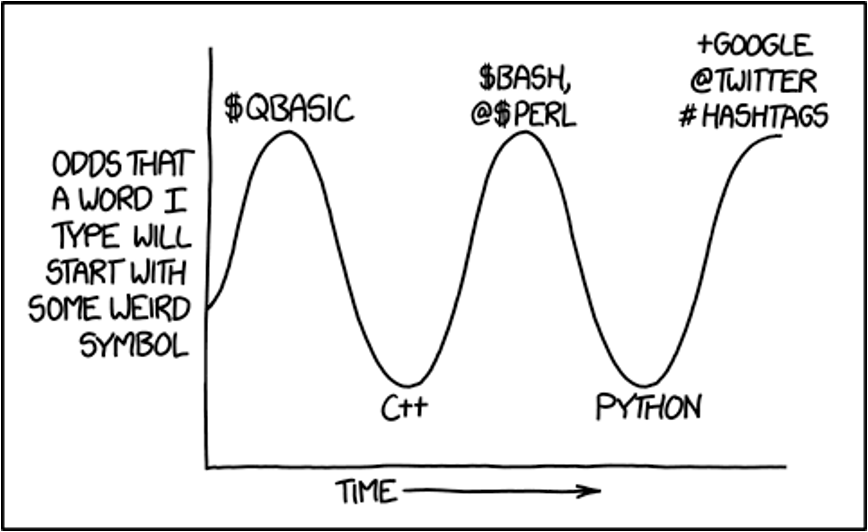
The same applies in HubSpot. You don't need the word "email" in the name of an email. You are looking at the email tool. HubSpot knows what it is, and so do you.
Here is a property name of the kind I see recommended, and have written myself:
Sales_LeadSource_Text
It makes three mistakes.
- Sales. You already know this from where the property sits and what it holds.
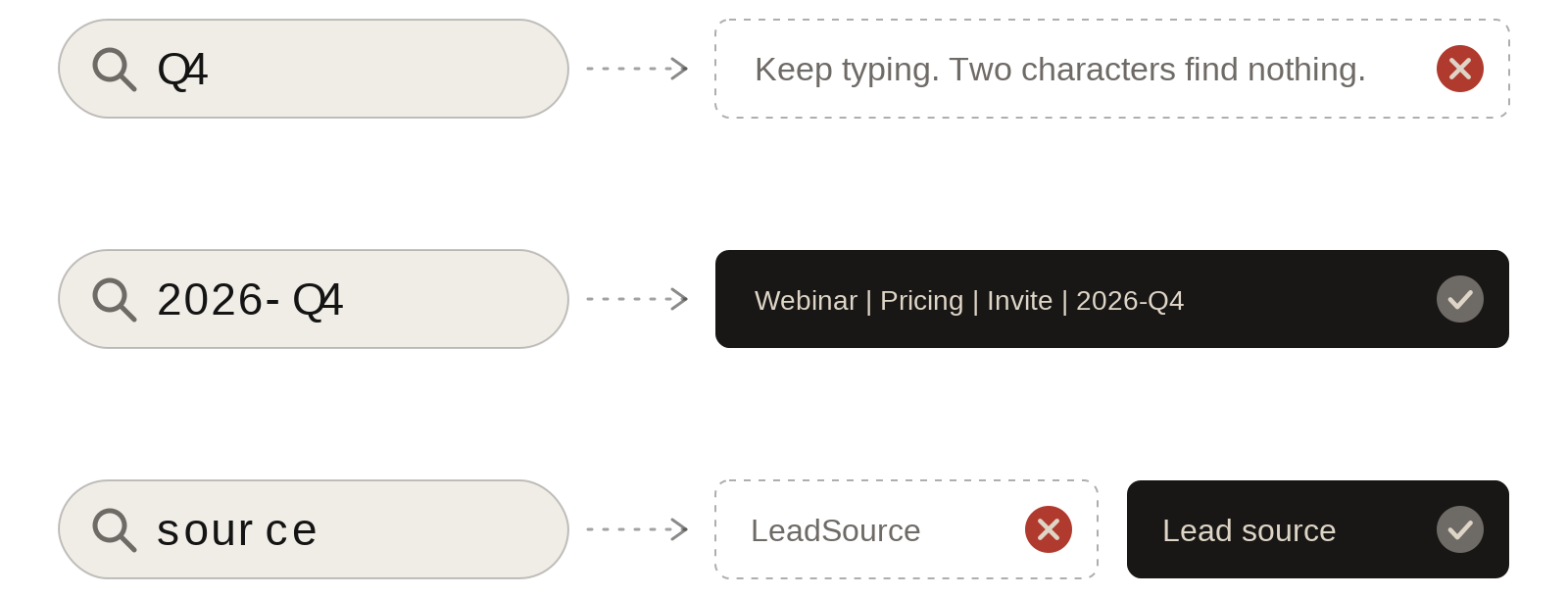
- LeadSource. That is one word to HubSpot, not two. Search for "source" and you won't find it.
- Text. HubSpot knows the field type and enforces it. People don't care.
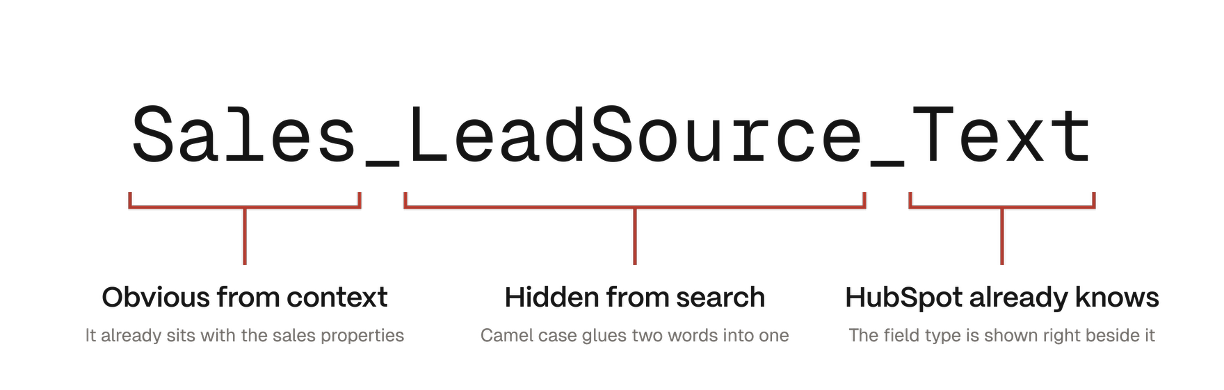
A name should carry what only a person knows or needs to know: what this thing is for.
Your memory holds about four things
When I learned to fly, I was taught that people can hold seven things in their head, plus or minus two. That is George Miller's famous estimate from 1956. It is why air traffic control gave me a squawk code, a heading and a change of altitude in one breath. I had to read them back while flying the aeroplane.
My worst memory test as a pilot was landing at Amsterdam Schiphol on the far side of the airport from my terminal. The taxi instructions filled half a page of my kneeboard.
The modern estimate is lower. Nelson Cowan's review of the evidence put the limit at three to five chunks, and it doesn't stay there long.
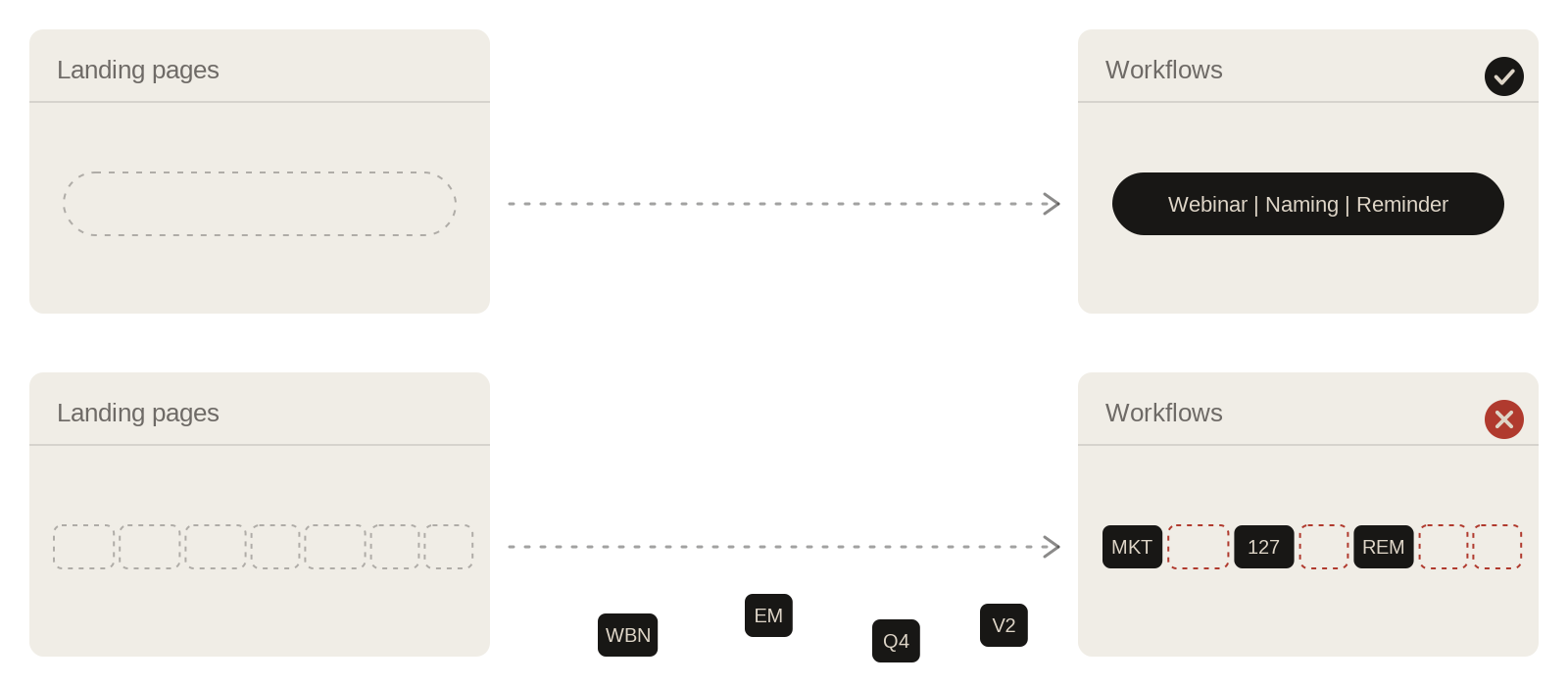
This matters in HubSpot because you change context all the time. You are on a webinar landing page and you go to find its reminder email or its workflow. A name of three or four real words survives that trip. A string of codes doesn't.
Abbreviations: easy to read, hard to reproduce
English is redundant. Claude Shannon estimated in 1951 that about half of it is. Strip the vowels from a word and you can usually still read it.
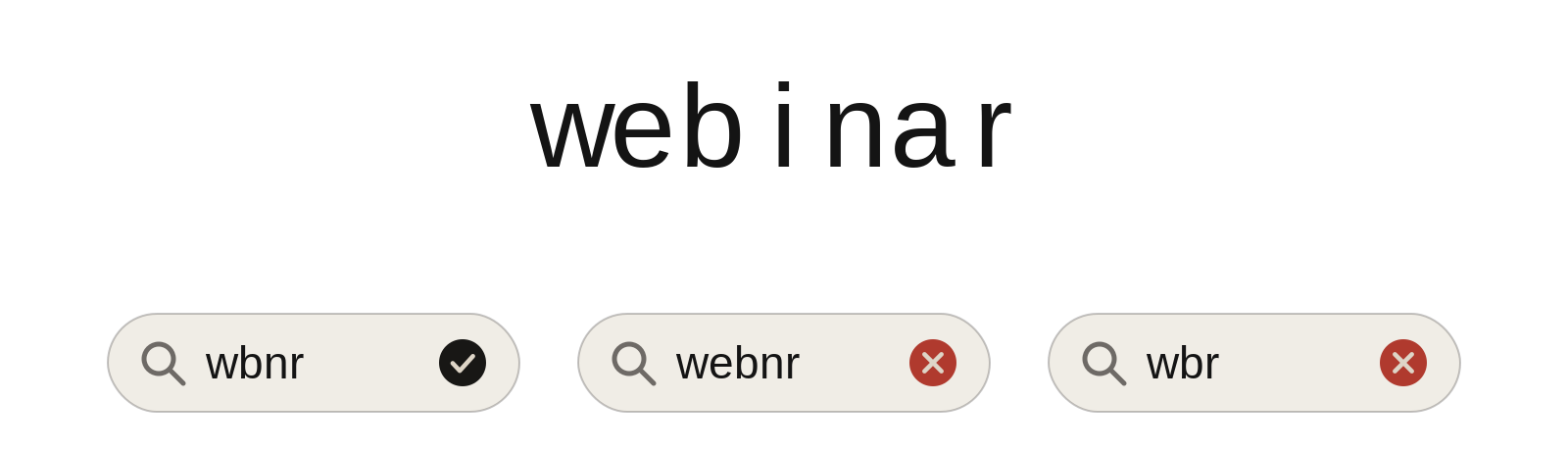
Reading an abbreviation and reproducing one are different jobs, though. I recently bought a TRMNL, a rather lovely e-paper display. I can read the name and say it. Typing trmnl.com to get back to my dashboard takes me a moment every time.
So if you must abbreviate, keep a short, controlled list and apply one rule the same way every time.
Most portals fail the naming test, ours included
We built an audit tool called Morse that inspects a HubSpot portal and drives a human review. We have run it on eight portals so far. In five there was no evidence of a naming convention for marketing assets at all. In the other three, somebody had made an effort.
Our own portal is no saint. Seven or eight years ago we tagged everything: LP for landing pages, TOFU and MOFU for the top and middle of the funnel. We do less of that now, and a portal that has been running for more than a decade collects a lot of clutter. We are slowly eating our own vegetables.

HubSpot will not enforce any of this for you. You can type whatever you like into a name field. That makes it easy to get started and hard to keep going.
Five HubSpot naming conventions that make things findable
The name is the one label that follows an asset everywhere in HubSpot: search, pickers, filters and reports. These five rules make it work harder.
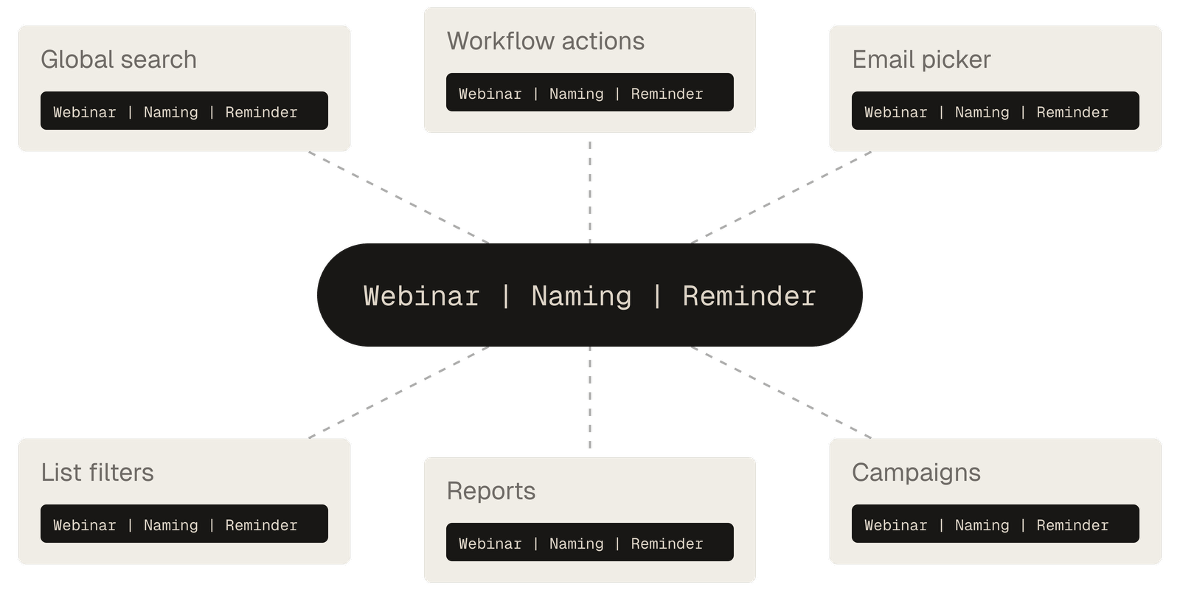
- Use whole words. HubSpot search matches whole words, not fragments inside them. Spaces, underscores and hyphens separate words. Capital letters don't.
- Use three characters or more. HubSpot won't search on fewer. "Q4" and "UK" are invisible. Write "2026-Q4" or "GBR".
- Write dates so they sort. For a November 2026 webinar, write 2026-11, not Nov 26. Alphabetical order then becomes date order.
- Use the same name everywhere. This webinar is number 127 in our Notion database, so every asset starts "127 HubSpot naming": the invitation, the follow-up, the workflow. You should be able to describe your convention in one sentence.
- Get internal names right first time. You can change a property's label whenever you like. You can never change its internal name. The same goes for deal and ticket stages. AI tools that read HubSpot through its API tend to see the internal name first, so a careless one will mislead them for years.
Two extras help. Fill in the description fields HubSpot offers on workflows and elsewhere, because they give people and AI more context than a name can. And use emojis for scanning, not searching. A star beside your target personas in a dropdown list is a handy visual cue. An emoji in a formal naming scheme is not.
Keep it to three or four parts
It is easy, and I have done it, to design a Simonyi-style convention that pins every asset down to the sub-campaign. Don't. Start at the highest level of useful generalisation.
I learned this in my wine cellar. I have bottles in fridges and corners of outbuildings all over the place, so I built a small app to track them. My first instinct was to record the fridge, the shelf and the position on the shelf. Then I realised that if I know which fridge a bottle is in, I can find it in 30 seconds. That is all the precision I need.
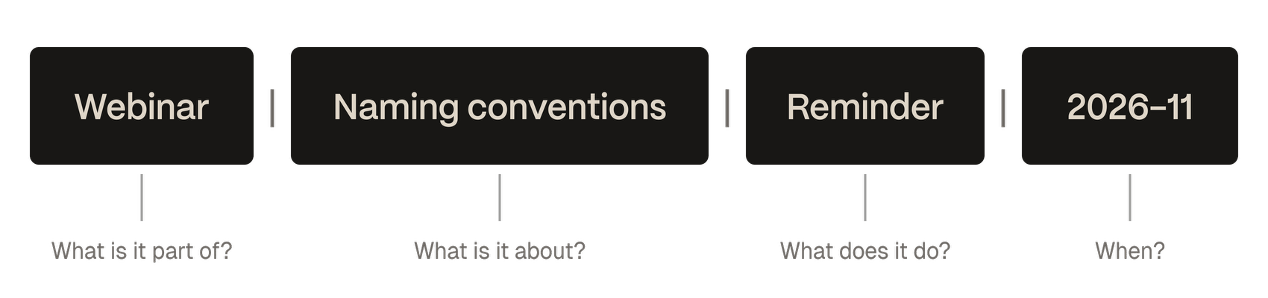
For a HubSpot asset, four questions cover most cases:
- What is it part of?
- What is it about?
- What does it do?
- When is it happening?
For each part that takes a fixed set of answers, such as your campaigns for the year, write the list down. Then test it with MECE, a rule from Barbara Minto's book The Pyramid Principle. It stands for mutually exclusive, collectively exhaustive. Every asset should fit one option, and only one. If something fits two, or none, fix the list.
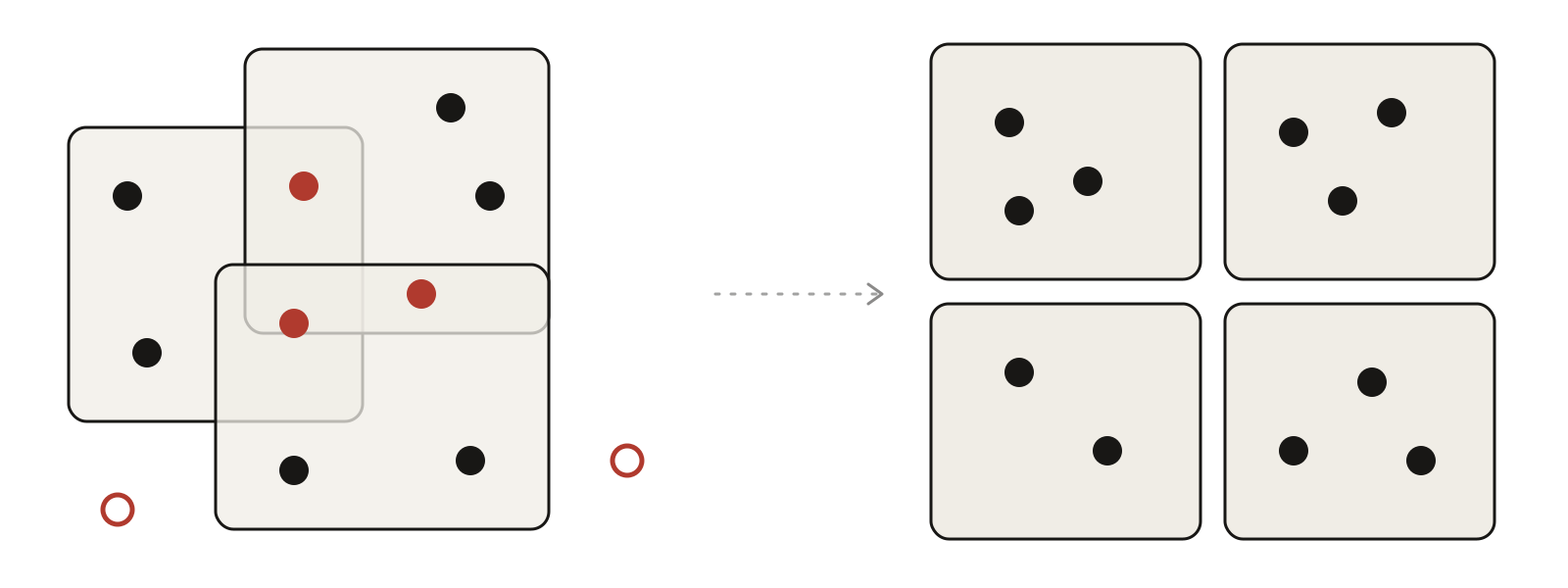
Even without controlled lists, those four questions on a sticky note will beat nine out of ten portals I see.
If it's too complicated, people won't use it
Geeks like me enjoy classification. Most people find it a bit like homework. Make password rules too strict and people write the password on a sticky note on their monitor. Naming rules fail the same way.
A little discipline goes a long way, so aim for the least rigour you can get away with.
- Put it on one page. A Churchillian one-page memo, or a postcard, with real examples. Nobody reads a 30-page manual.
- Name your templates properly. Most people make a new email or workflow by cloning the last one. If the original is named well, the copy starts well.
- Give it an owner. One person, responsible and a little accountable. Reward them with a packet of biscuits when they do it well.
- Pave the cowpaths. Find what your tidiest colleagues already do and make that the rule.
Start today, then tidy up
You don't need to rename everything. Marie Kondo-ing a whole portal feels like an impossible mountain, which is why nobody does it. Work in three passes.
- Start fresh. Agree a convention in an hour, check it with colleagues and use it for the next thing you build.
- Archive what's dead. Assets nobody uses don't need renaming. Getting them out of the way tidies the portal on its own.
- Rename what's live. Then go back over the assets still in use.
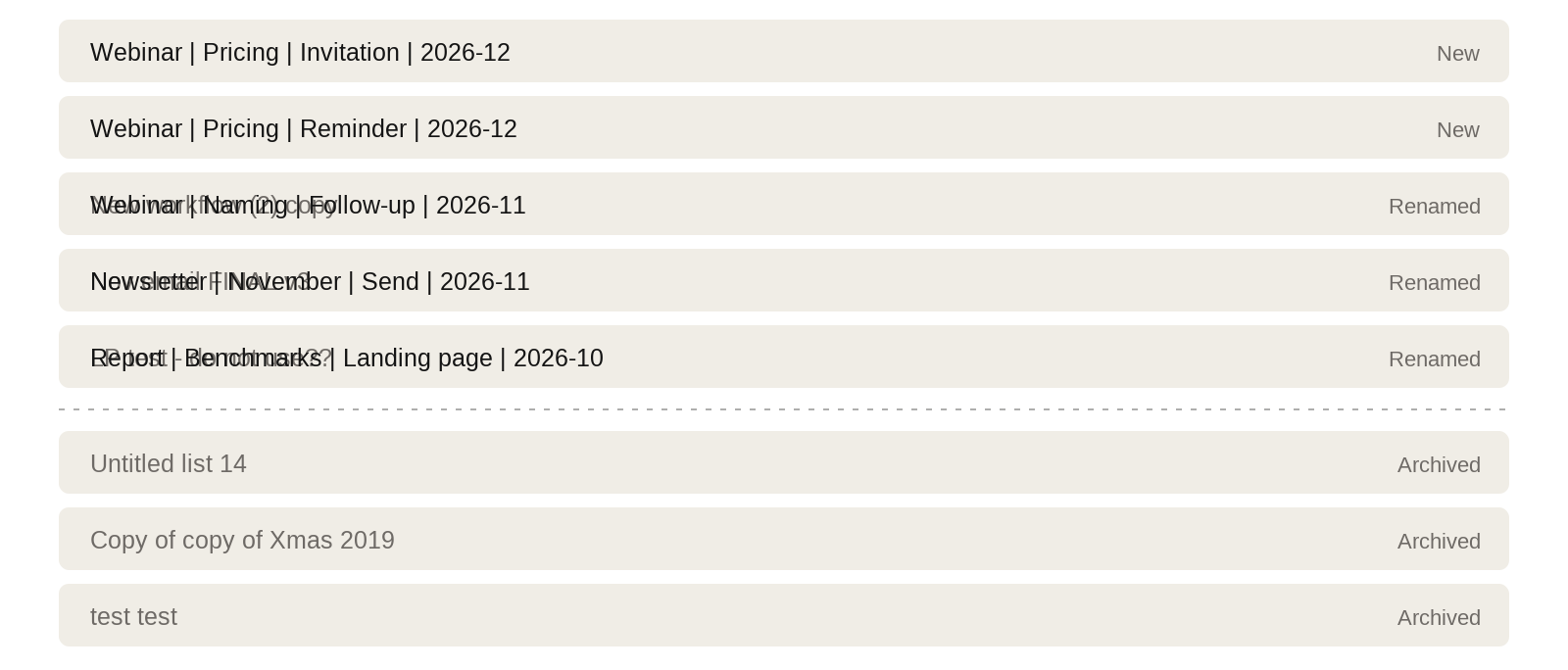
That third pass is where I think AI will help. We already use it to classify a library of about a million words of our own content, like an obsessive librarian. Applying a naming convention to a portal after the fact looks like the same kind of job, and I plan to try it. I covered more ideas like this in my webinar on HubSpot AI and automation.
It is like painting the Forth Bridge. You never finish, but the portal gets a little better every week. That beats paying some poor soul to tidy it for a fortnight and watching it decay for five years.
Name it for the people who'll use it
My 21-year-old self wanted a naming system that was complete. I now want one that gets used.
Naming is not for naming's sake. It is so that a colleague in a hurry, six months from now, can search, filter and find the list behind that email or the landing page for that webinar. Increasingly, it is so that an AI can too.
If you'd like to know how your portal scores, email me and we can run a Morse audit. Or see how we help companies get HubSpot working properly.


